Attribute-based Styling
You can style layers based on data attributes to easily identify differences and trends. Each visualization aspect—Fill Color, Stroke Color, Custom Marker, and Labels—can be styled by any field in your layer's data.
How to apply attribute-based styling
Layer Design 
, and open the Style section- Fill Color
- Stroke Color
- Custom Marker
Fill color, click Options 
and more settings will appear Color based on, select the field to style by.Palette, and choose a color palette or keep the default. Learn more in the [Color Palette](#color-palette) section below.Color Scale, choose your data classification method. See all methods in the Data Classification section.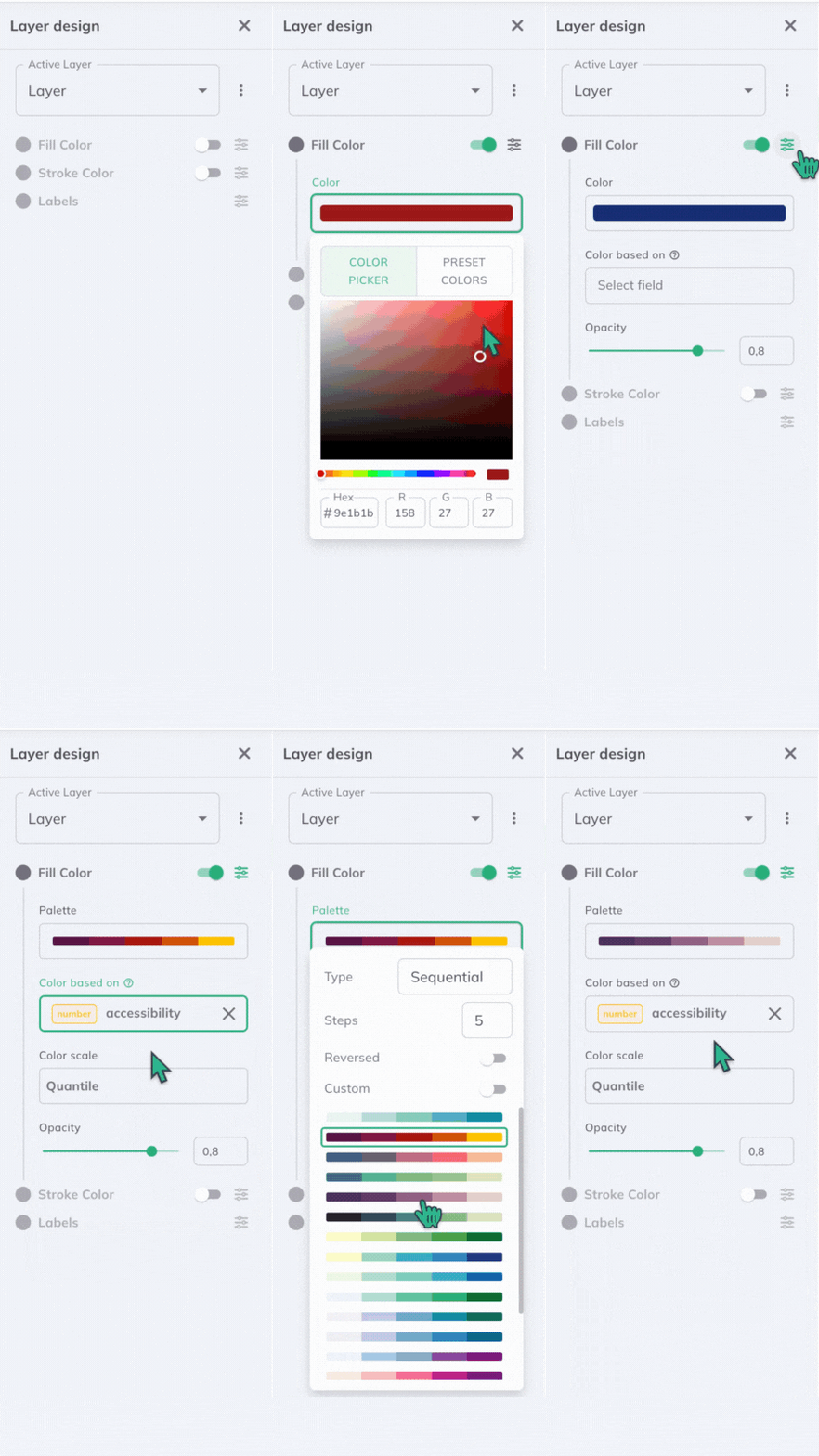
Stroke color, click Options and more settings will appear Color based on, select the **field to style by**.Palette, and choose a color palette or keep the default. Learn more in the [Color Palette](#color-palette) section below.Color Scale, choose your data classification method. See all methods in the Data Classification section.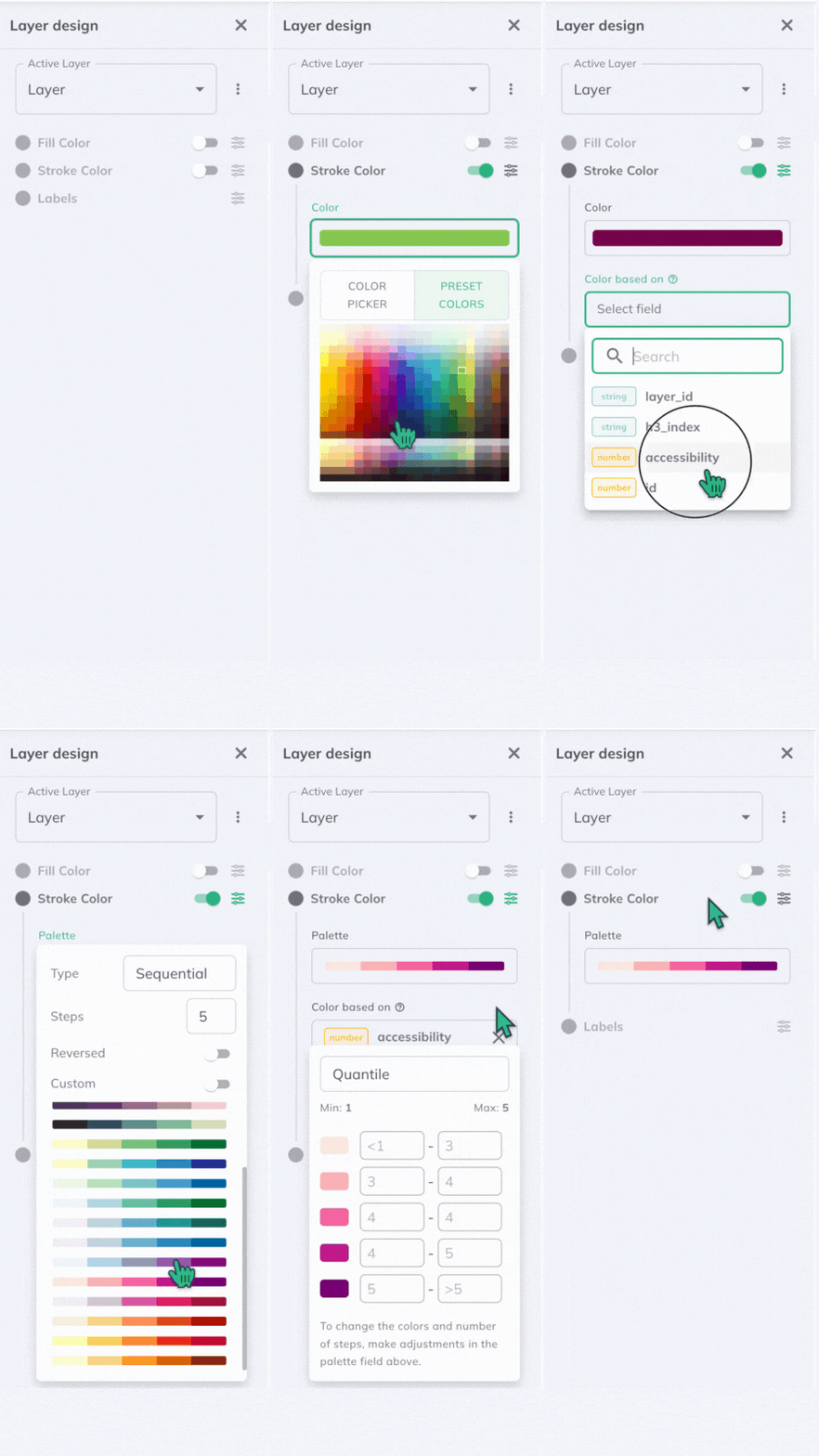
Custom Marker, click Options and more settings will appear Marker based on, select the **field to style by**.Ordinal Markers, you can choose the marker you want to use for each step. You can either choose it from the Library of upload your own. 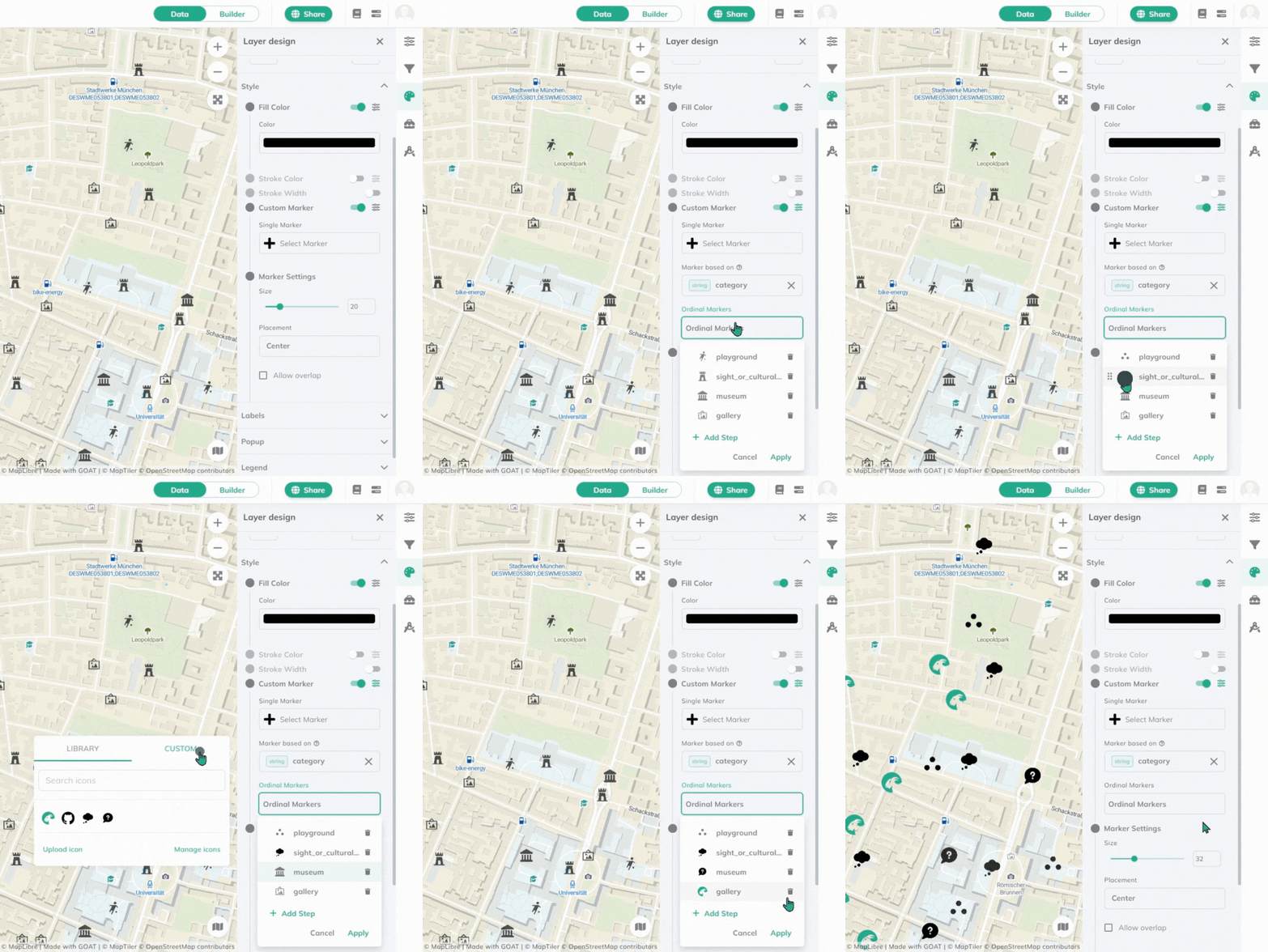
Color Palette
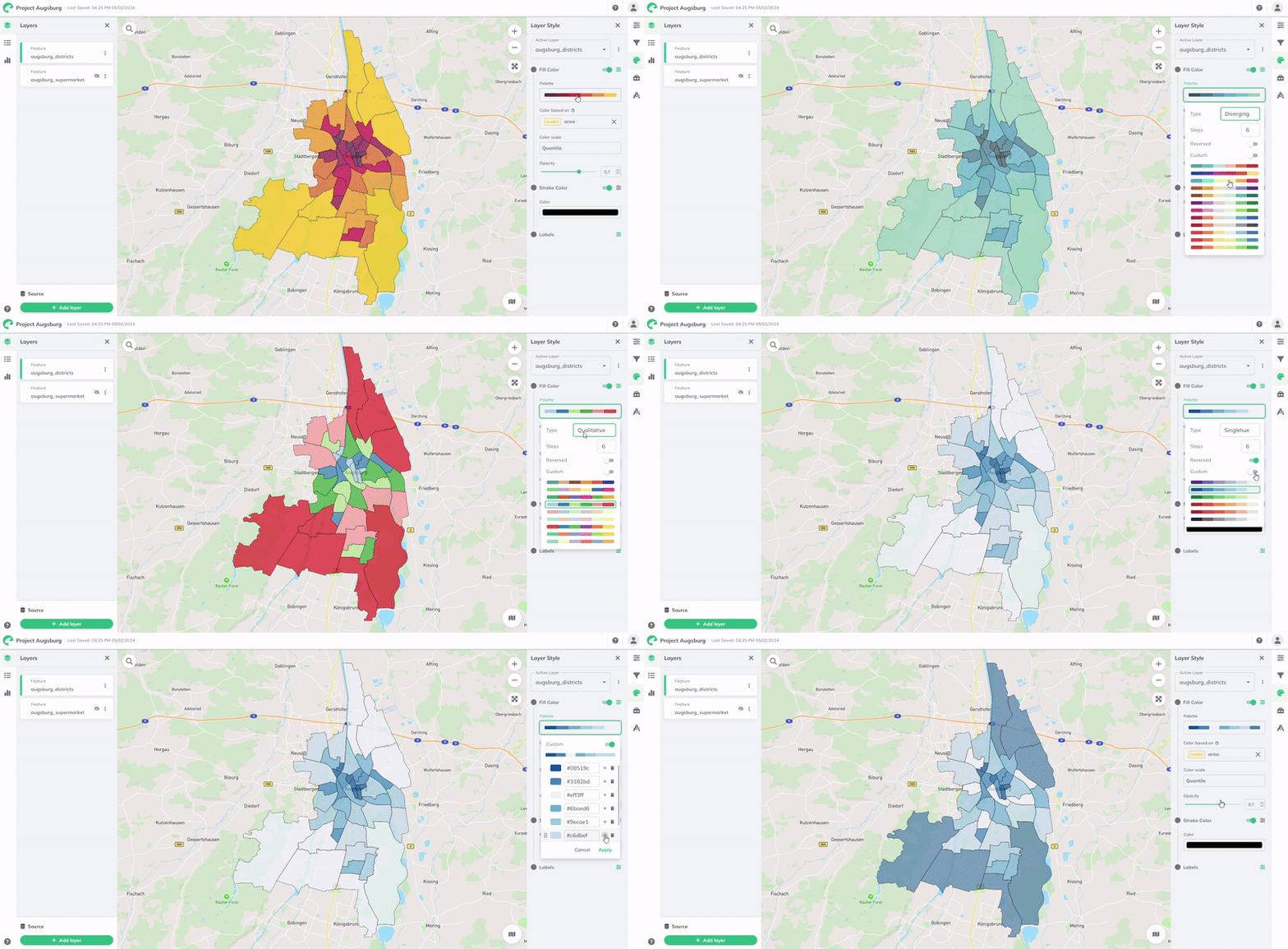
A palette is a set of colors representing your data values or categories.
You can customize your palette by selecting the Type, adjusting Steps, Reversing colors, or enabling Custom for your own color range.
GOAT offers four predefined palette types:
| Palette Type | Example | Description |
|---|---|---|
| Diverging |  | Useful for data with a central midpoint, like positive and negative values. It helps show variations clearly around this midpoint. |
| Sequential |  | Ideal for data that follows a natural progression or ordered sequence, like increasing or decreasing values. It excels at visualising continuous data, showing gradual changes from one extreme to another. |
| Qualitative | | Designed for distinct categories or classes. It helps distinguish between discrete categories without implying any order or importance. |
| Singlehue |  | Uses different shades and tones of a single color. It creates a harmonious look and is effective for conveying information without the distraction of multiple colors. |
Data Classification Methods
The Color Scale determines how data values map to colors. GOAT offers six data classification methods: Quantile, Standard Deviation, Equal Interval, Heads and Tails, Custom Breaks, and Custom Ordinal. All the methods default to 7 classes, but you can adjust this number as needed.
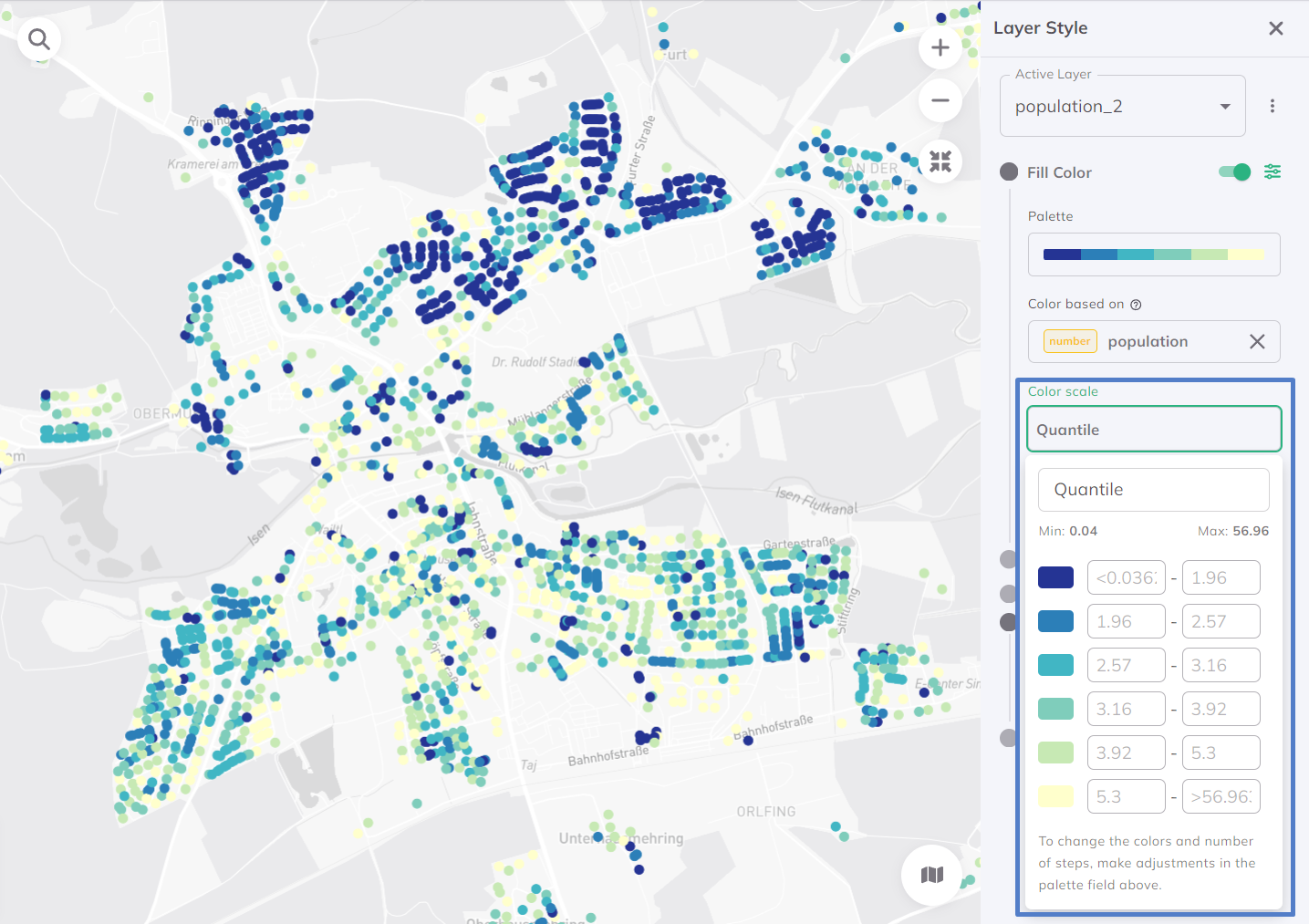
Quantile
Divides data into classes with equal numbers of features. Ideal for linearly distributed data, but creates uneven value ranges.
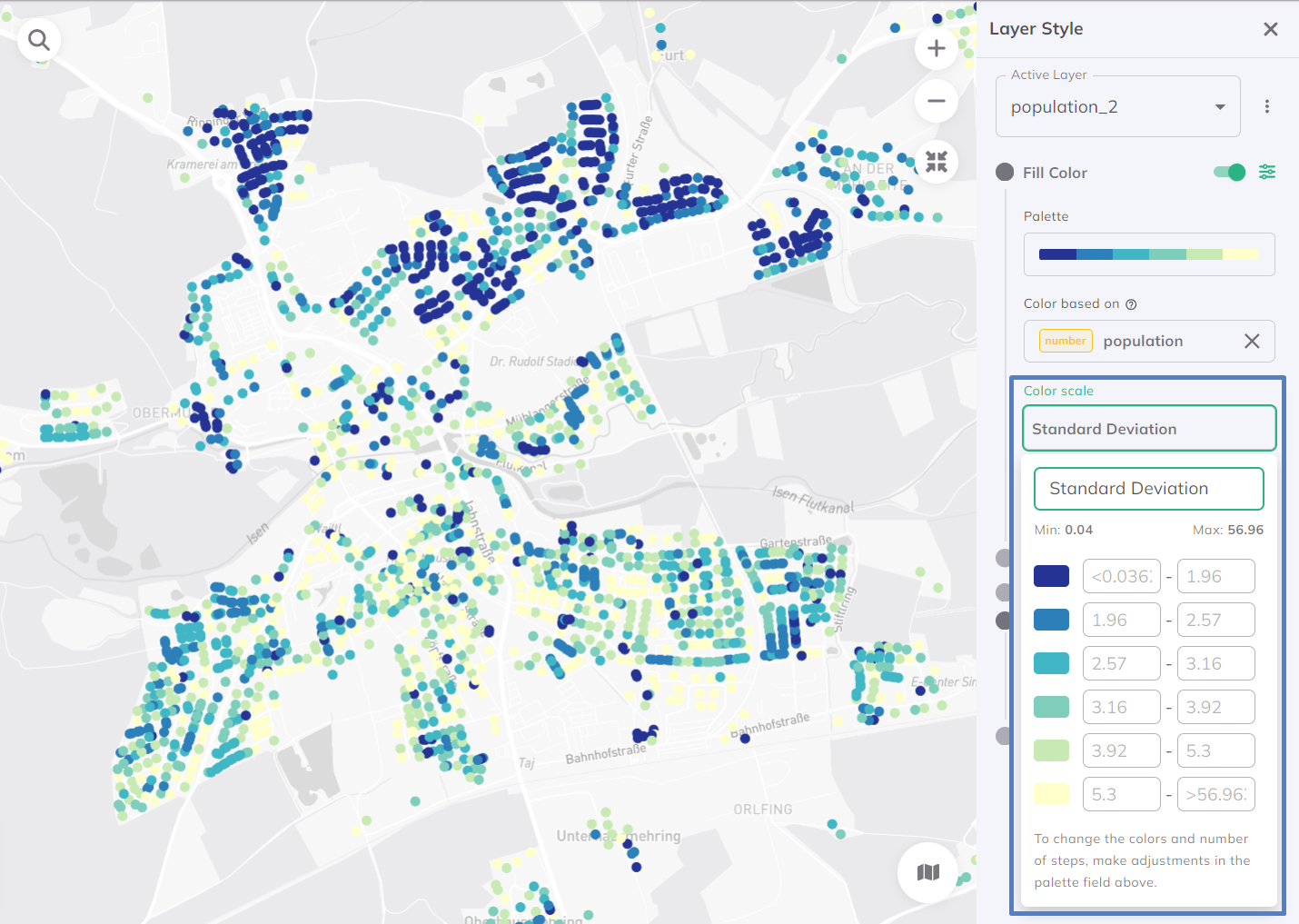
Standard Deviation
Classifies data by deviation from the average. Shows relative dispersion, distribution, and outliers statistically, but requires normally distributed data.
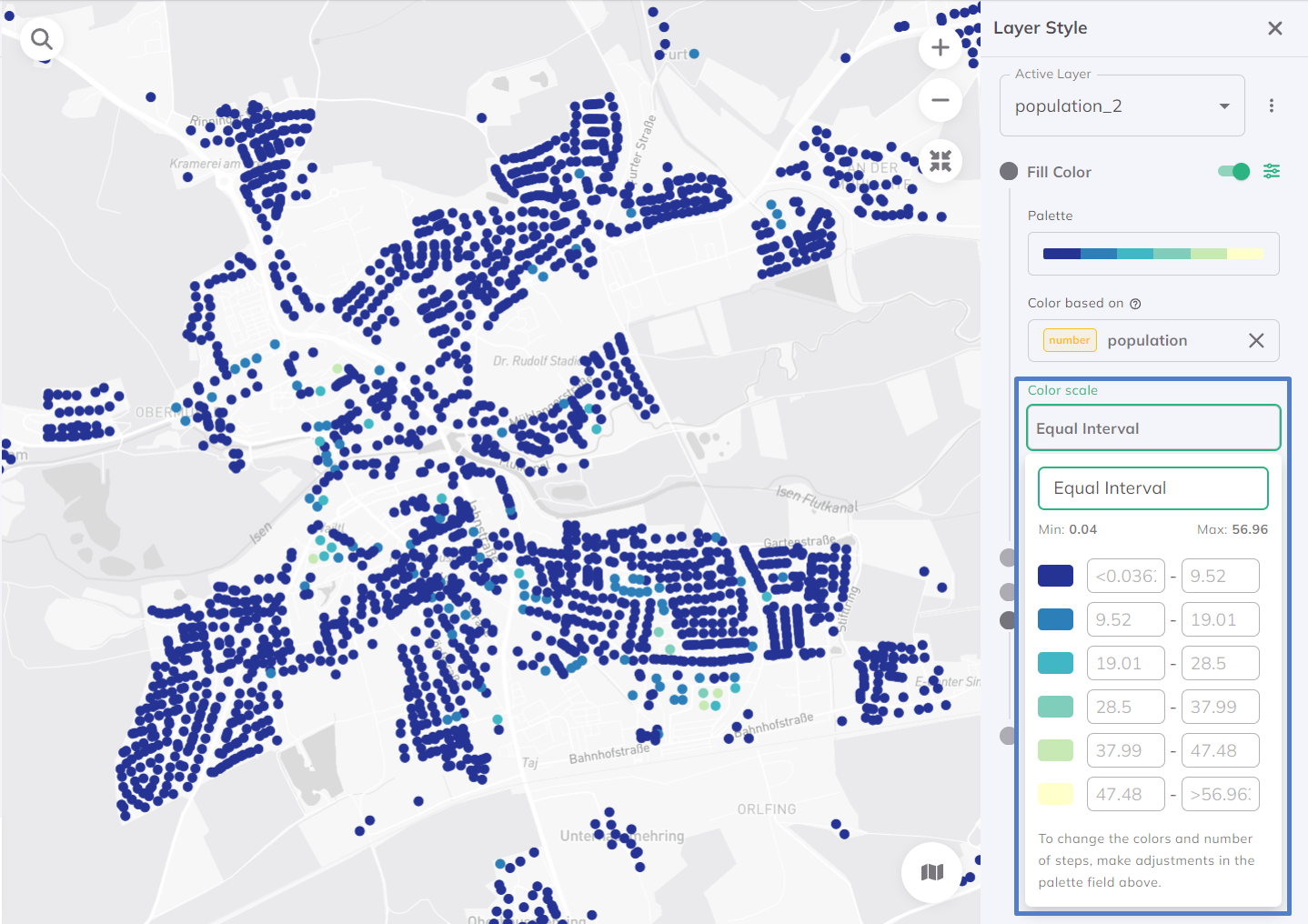
Equal Interval
Divides data into equal-sized value ranges. Works well for evenly distributed data but can be misleading with skewed data (some classes may be empty).
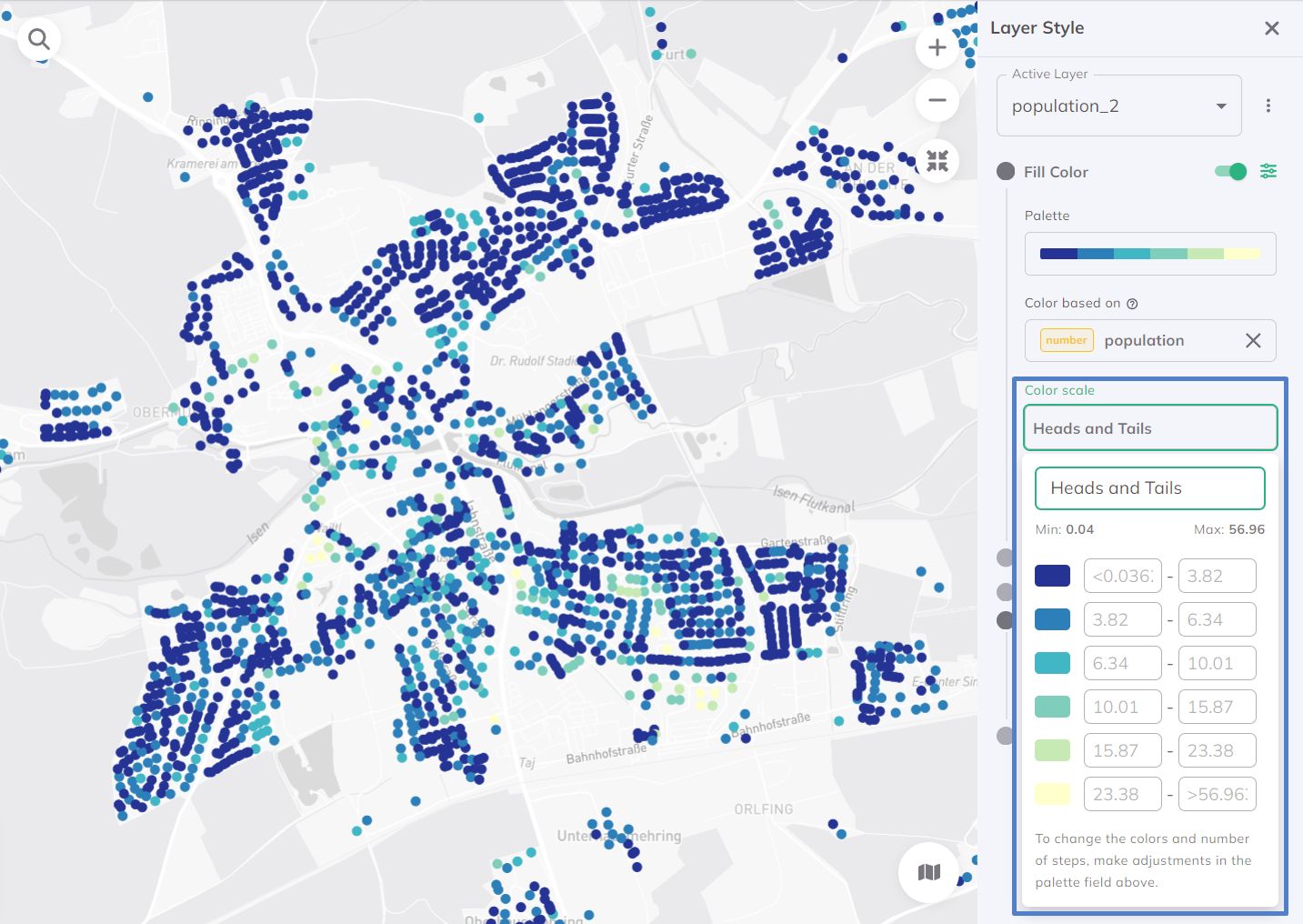
Heads and Tails
Handles skewed data by highlighting extremes. Focuses on 'heads' (very high values) and 'tails' (very low values). Useful for datasets where extremes matter most and for highlighting disparities.
Custom Ordinal (for strings)
Sorts and visualizes string data like categories or labels. Since strings lack natural order, Custom Ordinal lets you define your own ordering rules for tailored sequences.
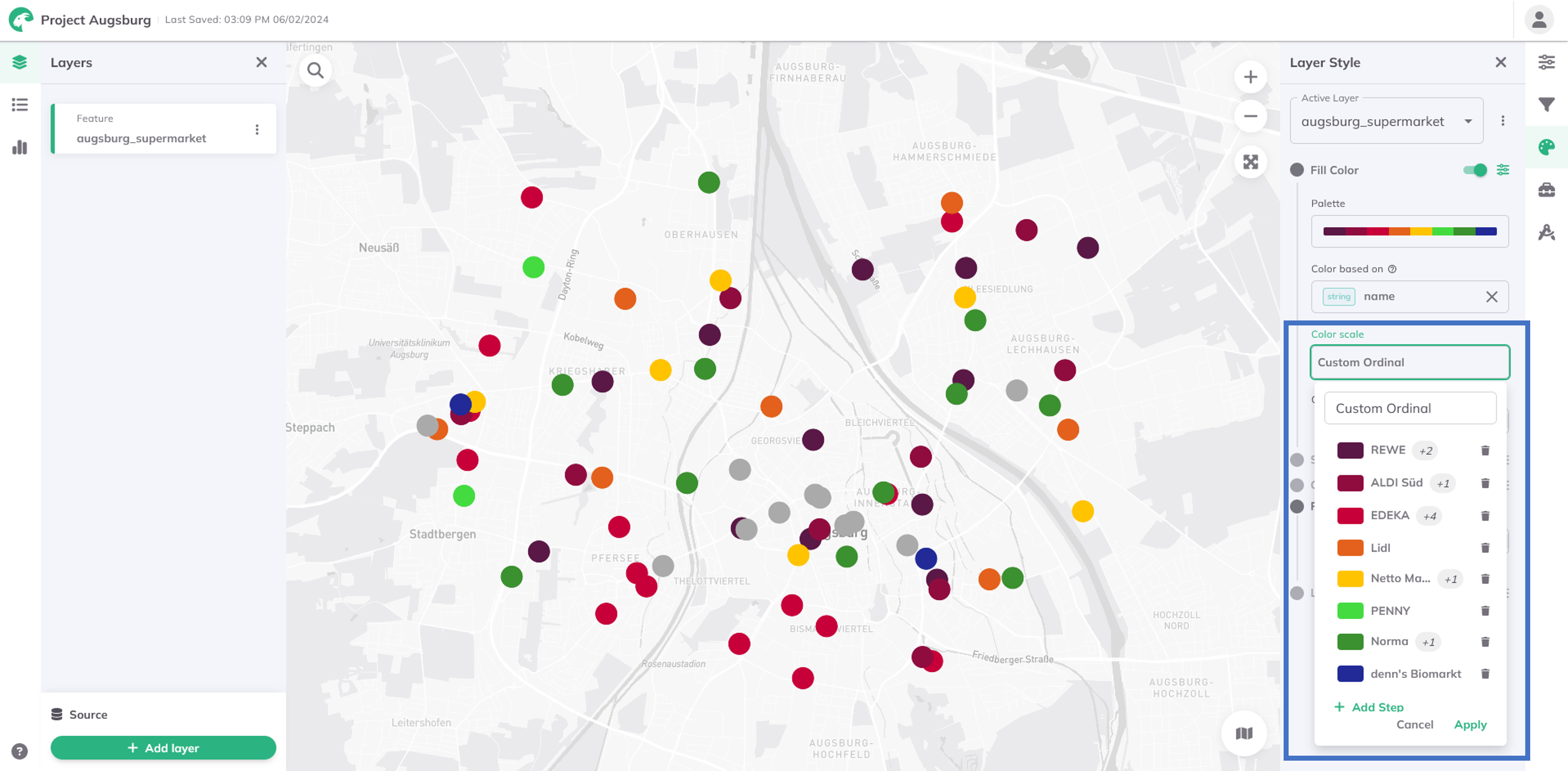
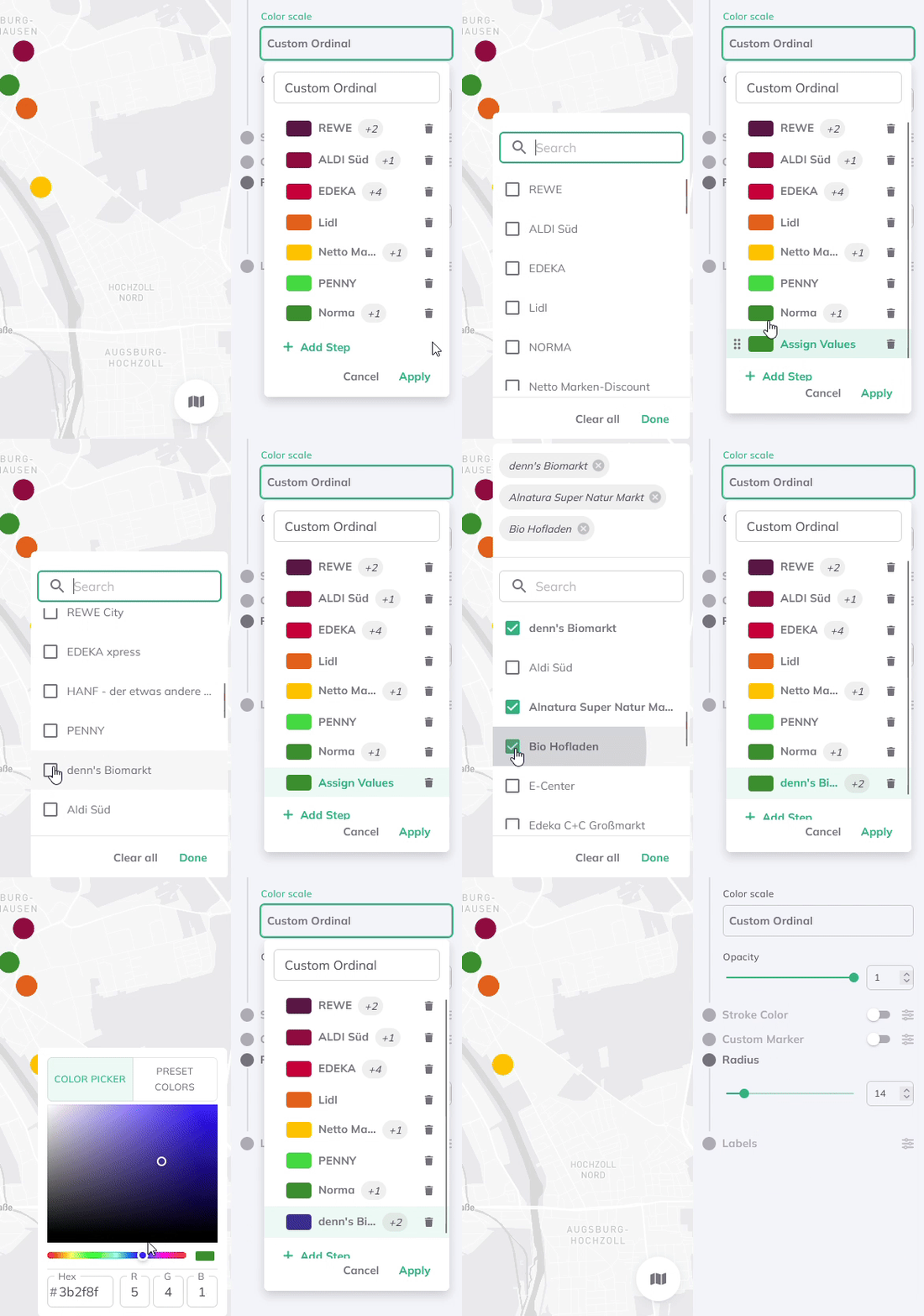
You can add more steps and select multiple string values per group from the dropdown menu, which lists all values from your dataset.
Custom Breaks (for numbers)
For numerical data with custom breakpoints or thresholds. It provides tailored visualizations for specific contexts. Helps maintain consistency across maps. Gives full control over classifications aligned with real-world needs.
To reuse your dataset with the styling settings in other projects, save your style as default.