Legend
Legends help users understand the symbology and meaning of your map layers. GOAT automatically displays legends for all visible layers, but you can customize their appearance and add descriptive captions to make your maps more informative.
How to manage layer legends
1
Select your layer and navigate to  and find the
Layer design and find the Legend section2
Toggle the
Show checkbox to enable or disable the legend display3
You can add a
Caption field explaining the layer's content. The caption will appear below the layer name in the legend list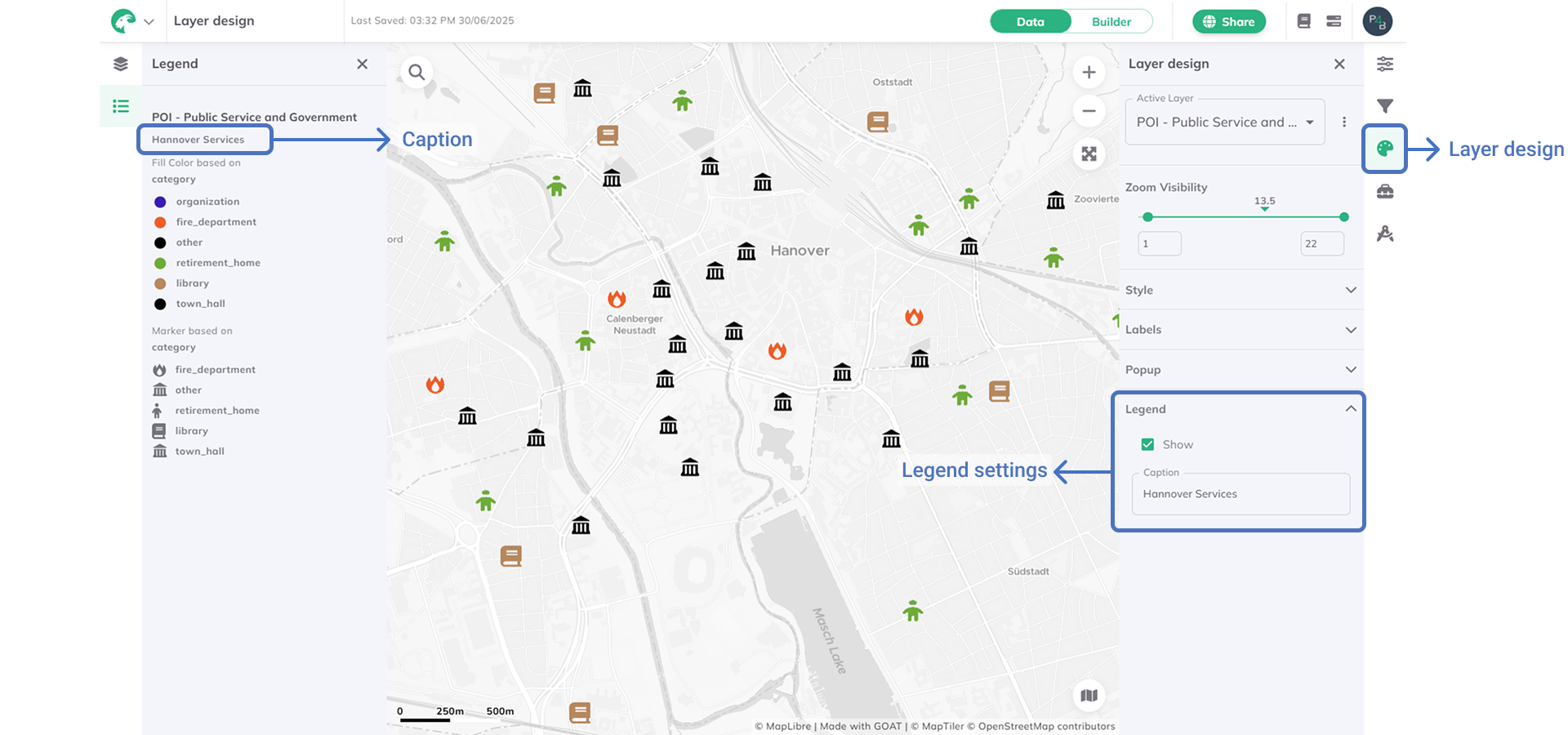
Best practices
- Use clear, descriptive captions that explain what the layer represents
- Keep captions concise but informative
- Disable legends for layers that don't need visual explanation (e.g., reference layers)
- Review legend visibility to avoid cluttering the map interface