Home
When you log in to GOAT you arrive at the Home page, the starting point for finding your way back into your work, or beginning something new.
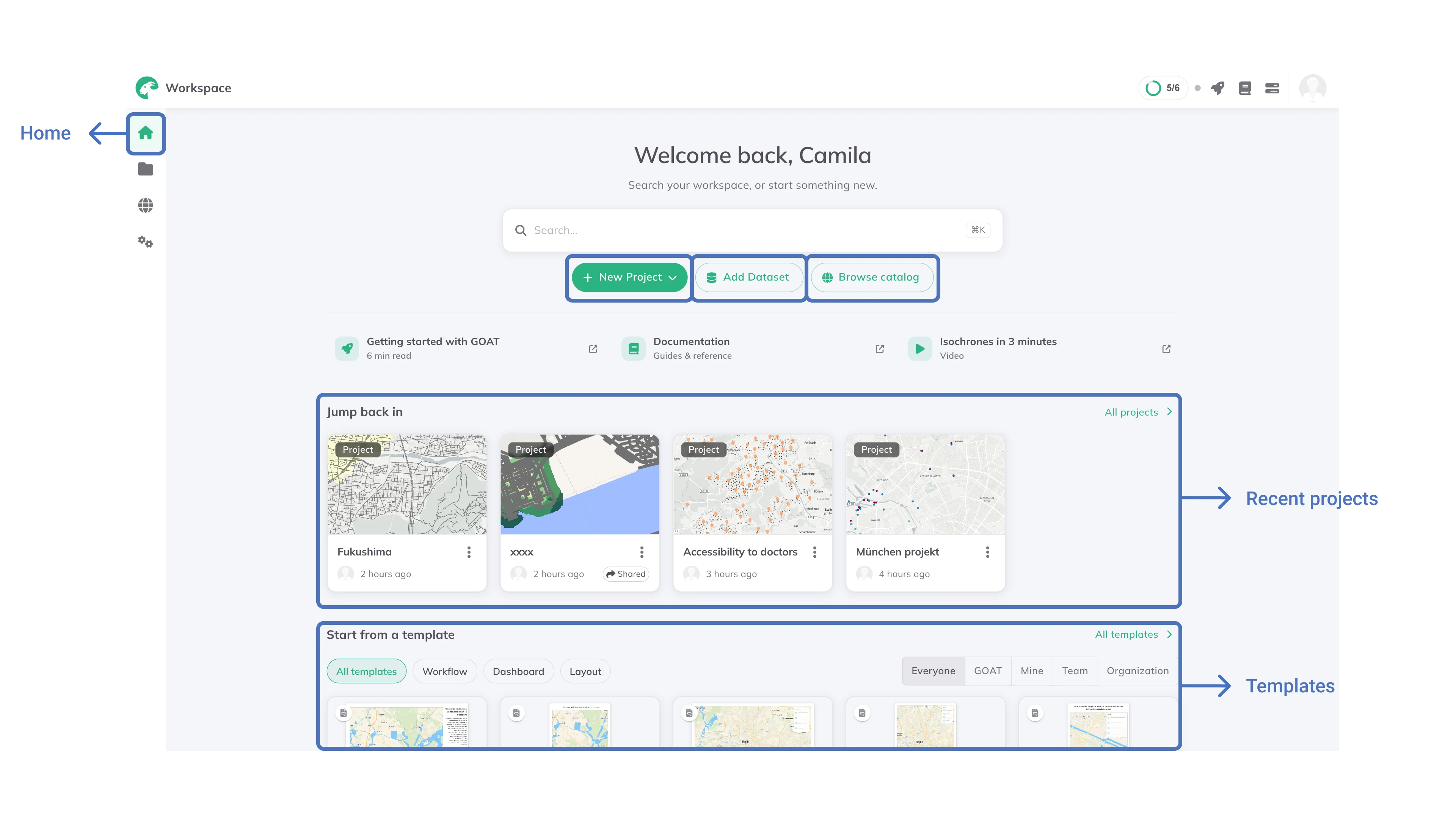
Search
The search box looks across every space you can reach. Press ⌘K, or Ctrl+K, to jump into it without reaching for the mouse.
Start typing and it searches everything at once. To narrow it, begin with one of three prefixes:
project:searches only projectsdataset:searches only your datasetscatalog:searches the public Catalog
Move through the results with the arrow keys, open one with Enter, and close the search with Esc.
Starting something new
Three buttons sit under the search box:
New project: start a blank project, or import one exported from GOATUpload dataset: upload a file from your device (GeoPackage, GeoJSON, Shapefile, KML, CSV, XLSX, Parquet). External services such as WFS or WMS are connected withConnect service, under Add new on the Content page or Add layer in a projectBrowse catalog: open the Catalog to find ready-made data
Jump back in
Your most recently opened projects, newest first, each showing when you last worked on it and whether it is shared. Click All projects to see everything on the Content page.
Start from a template
Templates let you begin with a project, workflow or layout that is already set up. Filter the row by kind (All templates, Workflow, Project or Layout) and by who the template came from: Everyone, GOAT, Mine, Team, Organization or Shared with me. Click All templates to browse the full shelf.
Recent Datasets
The datasets you last worked with, each showing who owns it and which space it sits in. All datasets opens the Content page.
Your teams
The teams you belong to, as a way into each team's space without going through Content first.
From our blog
Recent GOAT posts from the Plan4Better blog. Release notes for what has just shipped are under What's New in the header.
Getting started
While you are new to GOAT, the header shows a Getting started ring with your progress through a short setup checklist. Click it to see which steps remain, jump straight to one, or skip the onboarding entirely. It disappears once you have finished or skipped it.
Above the project rows you will also find links worth a first visit: a written introduction to GOAT, these documentation pages, and a short video.