Workspace Interface
Opening GOAT will lead you to the Workspace Interface. Here, you can explore your datasets and projects, create new ones, and manage your account settings.
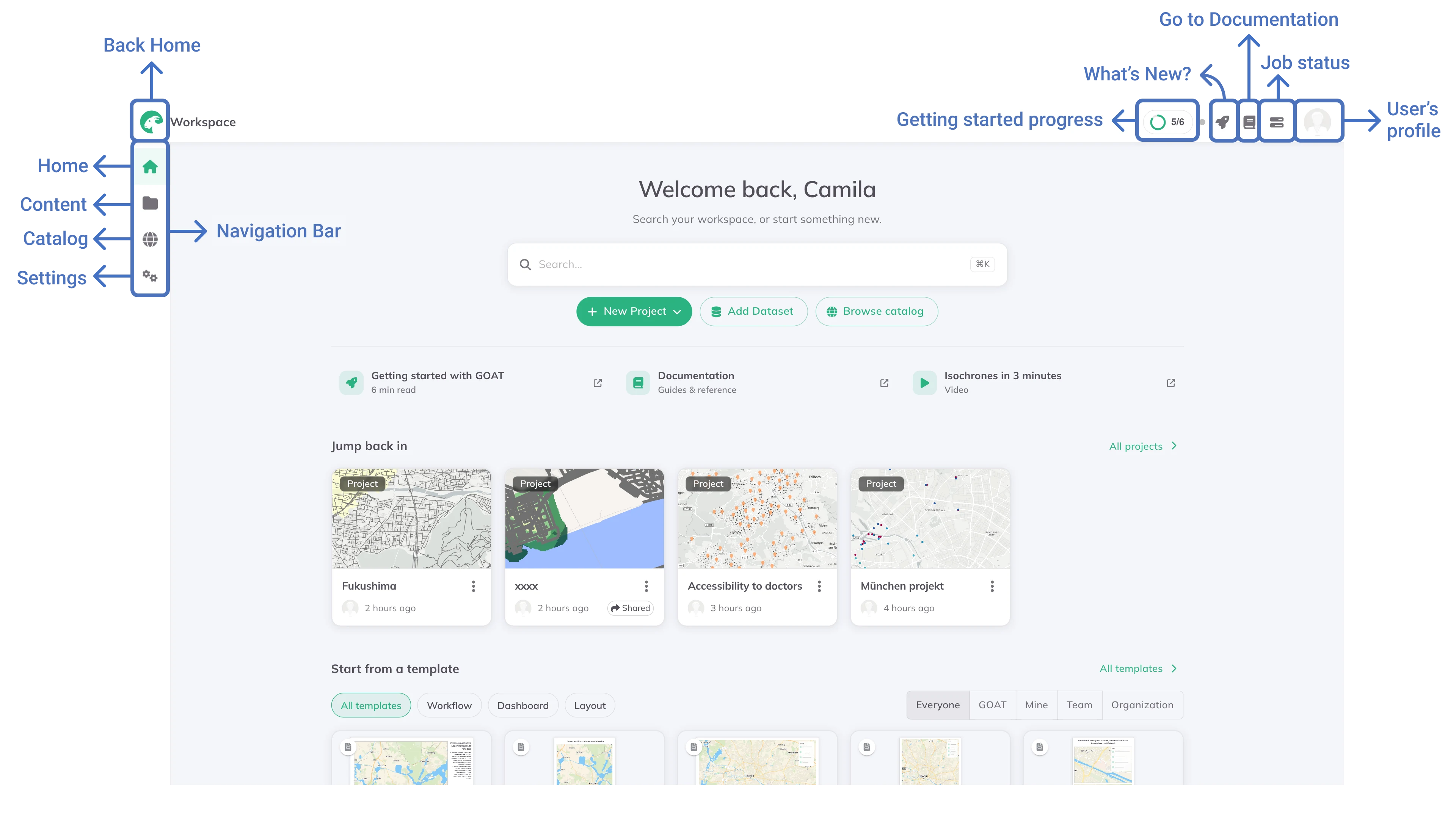
Navigation Bar
The list below explains the navigation toolbar in the Workspace.

Home: The landing page when you login
Content: Your projects, datasets and templates, organised into spaces
Catalog: Here, you can browse all the datasets available within GOAT
Settings: The page where you can edit your profile and preferences settings
User's profile
By clicking on the user's profile button, you can see your name, your organization, and the Logout button.
Job Status
When you click on the Job Status in the upper right corner of the Workspace, you will see the status of your tasks in GOAT. Tasks are operations like data upload or geoanalysis.